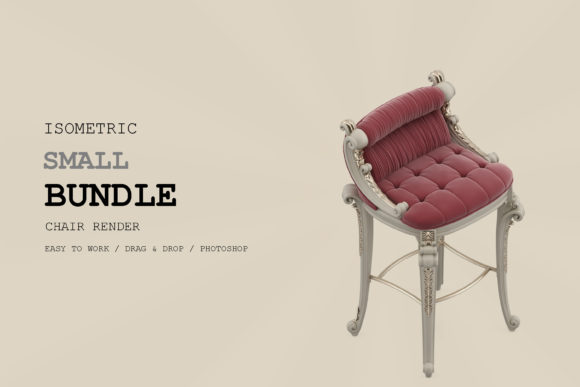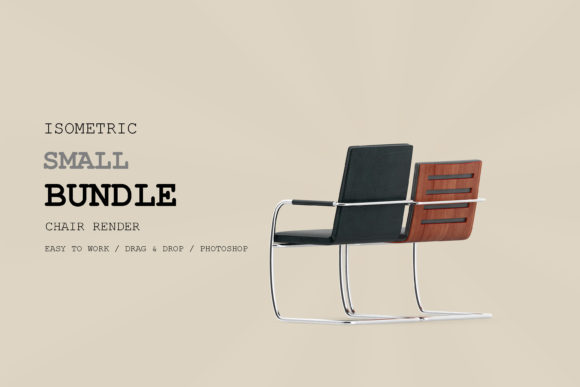
Isometric Chair 3D Render Pack 105
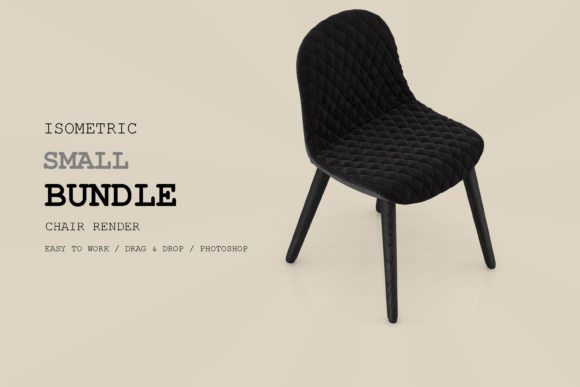
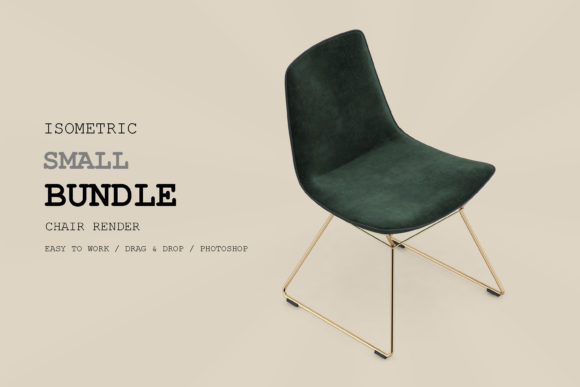
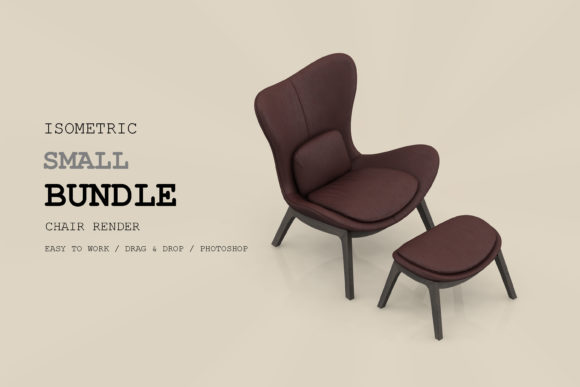
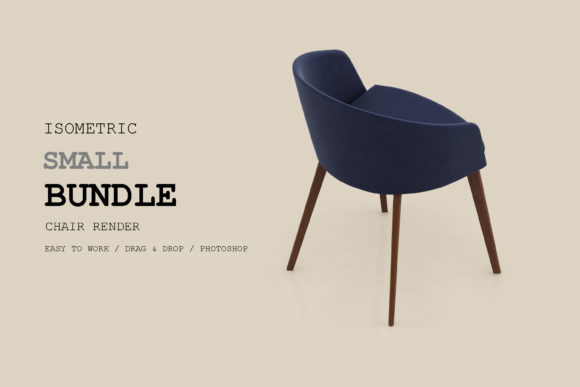
Good design often starts with a single object. A chair, for instance, carries weight far beyond its physical form — it suggests rest, focus, conversation, or waiting. The Isometric Chair 3D Render Pack 105 offers a curated set of chair renders that strip away real-world distractions and present furniture in a clean, angled format. If you work with visuals in any capacity, this pack can become a quiet workhorse in your creative toolbox. It is not about flashy effects or overproduced scenes. It is about giving you a reliable, visually consistent asset that can be dropped into projects without friction.
Isometric renders have a particular appeal. They occupy a space between 2D and 3D, offering depth without the complexity of full perspective. This makes them ideal for interfaces, infographics, presentations, and social media graphics where clarity matters more than photorealism. The Isometric Chair 3D Render Pack 105 delivers exactly that: a collection of chairs rendered from an isometric viewpoint, ready to be used, customized, or combined with other elements.
What Makes This Pack Different
Many 3D asset packs overwhelm you with angles, lighting setups, and post-processing demands. This one focuses on a single consistent isometric projection, so every chair sits in the same visual space. That consistency is valuable when you need to build a library of assets that feel like they belong together. Whether you use one chair or ten, they share the same perspective, light direction, and material feel.
Another practical advantage is the render quality. The pack uses clean lighting with soft shadows, which means you can place these chairs on different backgrounds — white, dark, textured, or gradient — without color clashes or harsh transitions. The materials range from matte wood and metal to upholstered fabric, giving you variety while keeping the overall aesthetic cohesive.
For creators who want to avoid spending hours in render engines, this pack removes that entire stage. You get finished renders that are production-ready. That changes your workflow from technical rendering to creative assembly, which is where most of us prefer to spend our time.
For Digital Designers and UI Creators
If you design websites, apps, or dashboards, isometric elements can break up flat layouts without overwhelming the user. A single Isometric Chair 3D Render Pack 105 asset placed inside a hero section or feature card adds depth and directs attention. You do not need to build a full scene. One chair, used intentionally, becomes a focal point.
Consider a furniture marketplace app. Instead of using photographs that vary in lighting and angle, you could use these renders in category icons or listing cards. The uniform perspective helps users compare options visually, and the clean style keeps the interface uncluttered. For onboarding screens, an isometric chair paired with a short text block can illustrate comfort, style, or functionality without requiring a full illustration budget.
For Content Creators and Social Media Managers
Visual consistency on social media is hard to maintain. Every post needs to feel part of a broader identity. The Isometric Chair 3D Render Pack 105 gives you a repeating visual element that works across Instagram grids, LinkedIn carousels, and Pinterest pins.
You could create a series of posts around workplace ergonomics, each featuring a different chair from the pack with a tip written over the image. The visual thread ties the series together, and the isometric style stands out against the photo-heavy content that dominates most feeds. For bloggers writing about home office setups, these renders can supplement or replace photography, especially when you need a consistent look across multiple articles.
For Entrepreneurs and Small Business Owners
If you run a small furniture brand, a co-working space, or an interior design consultancy, you need visuals that communicate professionalism without requiring a photo studio. The Isometric Chair 3D Render Pack 105 can be used in pitch decks, service brochures, or website product placeholders.
Imagine you are preparing a presentation for a potential client who wants to revamp their office lounge. Instead of showing generic stock photos, you can drop these chair renders into floor plan mockups or mood boards. The isometric view gives the client a clear sense of form and proportion, and because the renders are consistent, the entire presentation looks polished and intentional.
For Educators and Workshop Facilitators
Teaching design principles often requires clear, simple visuals. Isometric chairs work well for explaining concepts like form, scale, balance, and negative space. The Isometric Chair 3D Render Pack 105 can be used in slide decks, handouts, or interactive exercises.
For example, you could ask students to arrange multiple chairs in an isometric composition to study how objects relate spatially. Because the renders share the same perspective, students can focus on composition rather than worrying about mismatched viewpoints. The pack also works for mood boarding exercises or as a base for sketching over.
Practical Project Ideas to Try
Sometimes having an asset is not enough. You also need a direction. Here are several concrete projects where the Isometric Chair 3D Render Pack 105 can play a central role.
- Icon System Expansion: Take one chair style and crop it tightly. Use it as a custom icon for categories like seating, comfort, or meeting spaces. The isometric angle gives the icon more character than a flat vector, but it remains readable at small sizes.
- Background Pattern: Arrange multiple chairs in a grid or staggered layout to create a repeating background pattern for a website or presentation. Because each render is self-contained, you can tile them seamlessly. Adjust opacity or apply a monochrome filter to keep the pattern subtle.
- Comparative Infographic: Use three different chairs from the pack to compare features — for instance, material, weight, or ideal use case. Place them side by side with short labels. The visual comparison is immediate, and the uniform render style makes the infographic feel like a single designed piece rather than a collection of unrelated images.
- Scene Kit for Landing Pages: Build a simple isometric scene by adding basic geometric shapes — a desk, a plant, a lamp — and place one chair from the pack as the hero object. The scene looks complete but stays minimal. This works especially well for landing pages focused on simplicity, clarity, or Scandinavian-style aesthetics.
- Product Variant Visualizer: If you sell or promote furniture, use different renders from the pack to represent color or material variants. Even if the pack does not include every exact variant you need, you can overlay tints or textures on the renders. The isometric angle keeps the variants comparable.
Keeping Results Clear and Audience-Friendly
Using a consistent asset pack like this one already simplifies your workflow, but a few practices help you get the most out of it without introducing visual noise.
Watch your background contrast. The renders use soft shadows and neutral lighting, so they work best on backgrounds that do not fight them. Light grey, off-white, or desaturated pastels are safe choices. High-contrast neon or busy patterned backgrounds can make the chairs feel disconnected from the page.
Scale matters. Isometric objects look best when they have enough breathing room. Do not crop too tightly. Let the chair sit inside a generous frame. This preserves the spatial quality that gives isometric art its charm. If you need to fit the chair into a small space, consider using it as a supporting element rather than the main focal point.
Combine sparingly with other styles. The Isometric Chair 3D Render Pack 105 has a clean, slightly stylized look. If you place it next to hyper-realistic photography or heavily textured illustrations, the contrast can feel jarring. If you must mix styles, use consistent color grading or add a subtle uniform overlay to bridge the visual gap.
Layer thoughtfully. When building scenes with multiple chairs, pay attention to overlap and depth. Place objects so that shadows fall naturally. Even in isometric space, the viewer expects a logical relationship between foreground and background objects. A little attention to layering makes the difference between a composition that works and one that feels flat.
Adapting for Different Goals and Platforms
The same render can serve completely different purposes depending on how you frame it. A single chair from the Isometric Chair 3D Render Pack 105 can be:
- A symbol of productivity in a blog post about work-from-home setups,
- A design object in a portfolio piece about modern interiors,
- A visual anchor in a presentation about office wellness,
- Or a decorative element in a newsletter header about lifestyle topics.
For print materials like brochures or flyers, the renders hold up well because they do not rely on screen-specific effects. For digital use, you can scale them without significant quality loss, as long as you start with the highest resolution version available.
If you work across multiple platforms — say, a website, an Instagram account, and a printed catalog — using the same chair render across all three creates a cohesive brand thread. Your audience will start recognizing the visual signature even before they read the text.
Staying Original Without Overcomplicating
One concern creators sometimes have is that using a pre-made render pack will make their work look generic. That is a fair worry, but it is also avoidable. The Isometric Chair 3D Render Pack 105 provides the raw material. Originality comes from how you use it.
Combine the chair with your own typography, color palette, and layout. Add subtle texture overlays, or place the chair inside a scene you built yourself. Use it as part of a larger narrative — a chair in a waiting room, a chair at a desk, a chair in a gallery. The context you create around the render is what makes it yours.
Another approach is to modify the renders. Apply a duotone color effect, add a grain texture, or composite them with hand-drawn elements. The clean base makes these modifications easy to apply without breaking the visual logic of the original render.
If you are working with a team, the pack also helps maintain a consistent visual language across different projects. One person can use it for a social campaign, another for a presentation, and a third for a website refresh — and the results will still feel connected.
The Isometric Chair 3D Render Pack 105 is not a magic solution that will do your creative work for you. It is a well-crafted resource that removes a technical bottleneck. What remains is the part that matters most: your ability to see possibilities, arrange elements with intention, and communicate ideas clearly. When you start from a solid visual foundation, every project becomes a little easier to build.