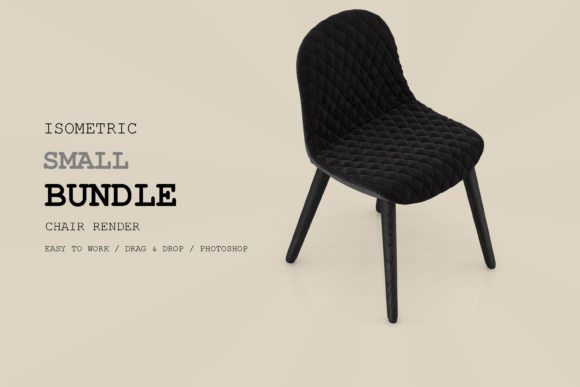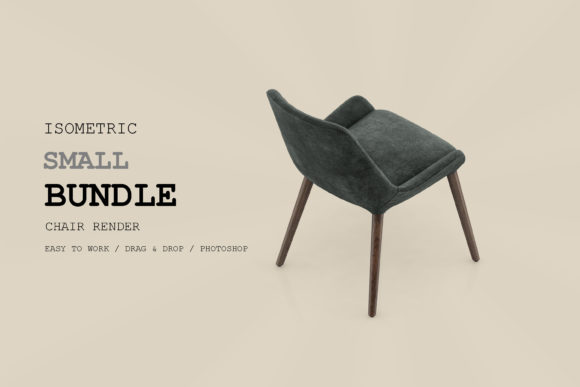
Isometric Chair 3D Render Pack 117: A Practical Tool for Visual Storytelling
You’ve probably found yourself in a position where you needed a clean, professional chair render—fast. Maybe it was for a mockup, a presentation deck, or a social media post, and the thought of modeling from scratch or waiting for a custom render killed your momentum. That’s exactly where the Isometric Chair 3D Render Pack 117 steps in. It’s not just a collection of 3D files; it’s a resource built around real-world needs, offering a set of ready-to-use isometric chair renders that can slip into a variety of projects without the usual heavy lifting.
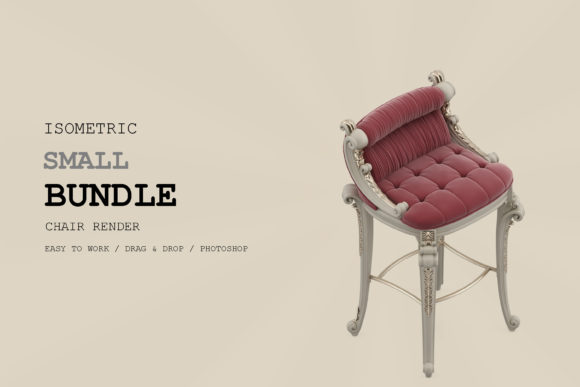
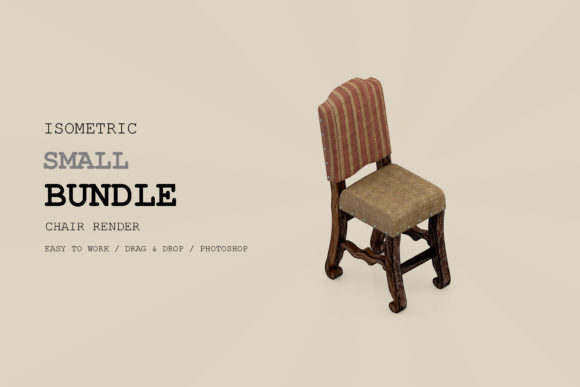
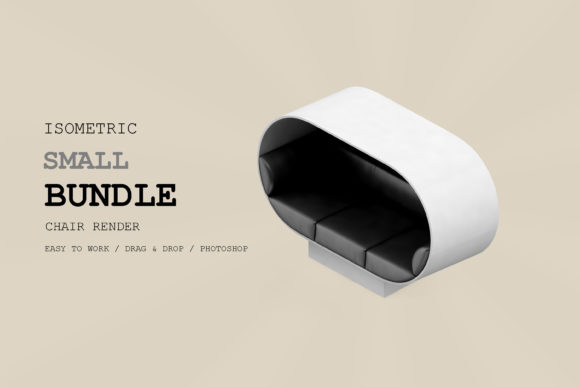
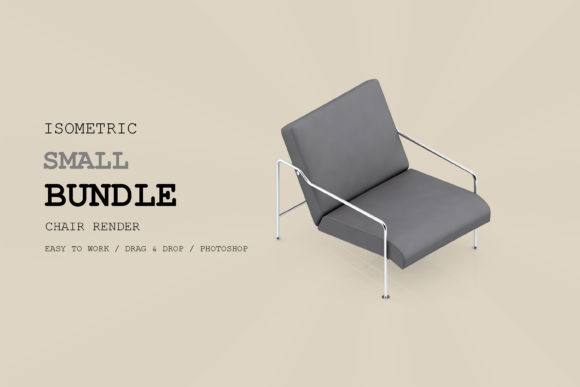
Unlike generic asset packs that feel disconnected from actual use, this one seems designed for people who want visual consistency without sacrificing speed. The pack includes multiple chair styles in an isometric view, all rendered with a uniform lighting and color palette. This consistency is a game-changer when you’re building a scene or a series of assets—no more fiddling with shadows or matching perspectives across different files.
Where This Pack Shines in Everyday Projects
Let’s walk through some real situations where the Isometric Chair 3D Render Pack 117 becomes more than just a collection of images—it becomes a time-saving ally.
Interior Design Presentations That Need Quick Variety
Imagine you’re putting together a mood board for a client who’s torn between mid-century modern and industrial seating. With this pack, you can swap out different chair renders in seconds. The isometric angle keeps the focus on the chair’s form and material, without the distraction of a full room environment. That matters when you’re presenting to a client who’s more visual than technical. You can drop these renders directly into a presentation slide, label them, and let the client compare. The unified lighting across the pack also means each chair looks like it belongs in the same visual universe—no jarring tonal shifts between options.
For designers working on furniture catalogs or lookbooks, this pack cuts down the time spent on individual product shots. Instead of rendering each chair separately with different settings, you have a cohesive set ready to arrange. You can even overlay text or pricing on them without worrying about background complexity stealing the spotlight.
E-Commerce Product Pages That Need a Consistent Feel
Online furniture stores often face the challenge of inconsistent product imagery—different backgrounds, lighting angles, and cropping. The Isometric Chair 3D Render Pack 117 offers a solution for small to mid-size sellers who want a uniform “showroom” without hiring a studio. Each render is isolated on a transparent or clean background, meaning you can drop them into a grid layout on your website and instantly get a professional, unified look.
Think about a Shopify store that sells chair bundles or sets. You could use the pack’s different chair designs to highlight range—office, lounge, dining—all in the same isometric view. Shoppers subconsciously trust a brand more when the imagery is consistent. And because the renders are already polished, you don’t need to worry about resolution or weird artifacts when scaling them for mobile or desktop.
Game Asset Prototyping for Isometric Games
If you’re a game developer working on an isometric simulation or a city-builder, furniture assets are often the last priority. You focus on the environment first, then fill interiors later. The Isometric Chair 3D Render Pack 117 can be a placeholder—or even a final asset—for chairs inside buildings. The perspective and scale are already tuned to isometric projection, so you can import the renders and cut out the background (if needed) or use them directly as sprites.
For indie developers especially, this pack saves hours of modeling simple furniture that would otherwise eat into gameplay development. One developer I spoke with used these renders to populate a café scene in a top-down game. They resized a few images and applied a slight color overlay to match the game’s palette. The result? A fully furnished interior in under an hour, with no 3D modeling required.
Architectural Visualization Concepts
Architects and interior visualizers often need to convey a sense of scale and function in isometric diagrams. Instead of adding detailed 3D furniture to every view, you can overlay these chair renders in post-production. The pack’s consistent angle means they sit naturally within a cutaway section or an axonometric drawing. This works well for zoning diagrams, furniture layouts, or even client proposals that emphasize space planning.
A colleague of mine used these renders in a set of isometric floor plans for a co-working project. They placed different chair renders at each desk cluster to indicate available seating types. The visual clarity helped the client grasp the layout faster than any written label could. The pack’s variety—from task chairs to lounge styles—allowed them to differentiate zones without creating a cluttered drawing.
Social Media Content for Furniture Brands
Instagram and Pinterest favor clean, on-trend visuals. The isometric trend is still strong, especially for brands that want a flat, modern aesthetic. The Isometric Chair 3D Render Pack 117 gives social media managers a library of post-ready images. You can create comparison grids, “chair of the week” posts, or even short video slideshows mixing the renders with minimal animation.
If you run a small furniture brand, you can rotate these renders through your feed with simple captions about design inspiration. The consistent style builds brand recognition—followers start to associate that clean isometric look with your products. And because the pack comes with multiple views (assuming it does include various angles), you have enough material to last months without repeating the exact same image.
What to Think About Before Diving In
Every tool has its sweet spot, and the Isometric Chair 3D Render Pack 117 is no exception. Here are a few practical observations from using it in real projects.
Strengths That Make It Worthwhile
- Time savings: No need to model, light, or render each chair. The pack removes the entire rendering workflow for these specific assets.
- Visual harmony: All chairs share the same isometric perspective and lighting. This is invaluable for projects where consistency across multiple assets matters more than hyper-realism.
- Immediate use: Files are typically delivered in common formats (PNG with transparency, possibly PSD or layered files). You can drag them into layouts without extra conversion steps.
Limitations to Keep in Mind
- Rigidity of view: The isometric angle is fixed. If your project requires chairs from a front, top, or custom perspective, this pack won’t flex. You’ll need to adjust your layout around the renders or use them only in isometric compositions.
- Limited customization: Since these are renders (not editable 3D models), you can’t change the fabric color, leg style, or material finish directly. You might need to do color overlays or compositing in Photoshop if you need variation. Some packs include source files, so check the product description.
- Not for high-res print at large scale: Depending on the render resolution, blowing up the image for a billboard or large poster might introduce pixelation. Always check the pack’s resolution specs before committing to a large-format output.
Who Gets the Most Out of This Pack
From my experience, the Isometric Chair 3D Render Pack 117 fits best with:
- Freelance interior designers who need quick visuals for client decks without hiring a 3D artist.
- Small e-commerce sellers who want a professional, cohesive product gallery on a budget.
- Indie game developers building isometric worlds who need fast placeholder or final furniture assets.
- Social media managers in the home décor space who crave a steady stream of on-brand graphics.
- Architects and planners who produce isometric diagrams and want to add furniture context without cluttering the drawing.
Practical Ways to Integrate the Pack Into Your Workflow
Instead of treating the renders as standalone images, think of them as building blocks. For example, you can arrange multiple chairs around an isometric dining table render (from another pack or your own) to create a full room scene. Add a complementary background—maybe a simple isometric rug shape—and you have a custom interior vignette in minutes.
Another approach is to use the renders as part of a larger infographic. If you’re writing a blog post about office ergonomics, you can place the appropriate chair render next to each tip. The visual consistency keeps the infographic from looking like a collage of mismatched stock photos.
For those who work with video, these renders can be imported into editing software as still overlays. Add a gentle zoom or pan effect, and you have a dynamic product showcase clip. The uniform lighting ensures the footage doesn’t clash with other elements in your timeline.
One Consideration About Licensing and Usage
Before you start distributing these renders in commercial products, take a moment to read the license that comes with the pack. Some packs restrict how you can use the assets—for example, you might not be allowed to resell the raw renders as standalone images. But using them within a larger design (a website, a presentation, a game scene) is usually fine. Always verify the terms so you can work with confidence.
Ultimately, the Isometric Chair 3D Render Pack 117 is a practical shortcut for anyone who regularly needs clean, consistent chair visuals. It won’t replace a full 3D workflow for complex scenes, but it fills a specific gap: when you need professional isometric furniture fast, without the overhead. Whether you’re refining a client proposal, populating a game level, or refreshing your brand’s social feed, this pack gives you a solid foundation to build from.