Isometric Chair 3D Render Pack 90: A Practical Resource for Creators
If you work in design, marketing, or content creation, you have likely faced the same recurring challenge: finding visuals that are both polished and versatile without spending hours modeling or rendering from scratch. The Isometric Chair 3D Render Pack 90 addresses that need directly. It is a curated collection of 90 isometric chair renderings, each designed to drop into projects with minimal friction. But beyond the sheer number of assets, what makes this pack stand out is how thoughtfully it balances aesthetic consistency with practical usability.
What Makes This Pack Different From Generic 3D Assets
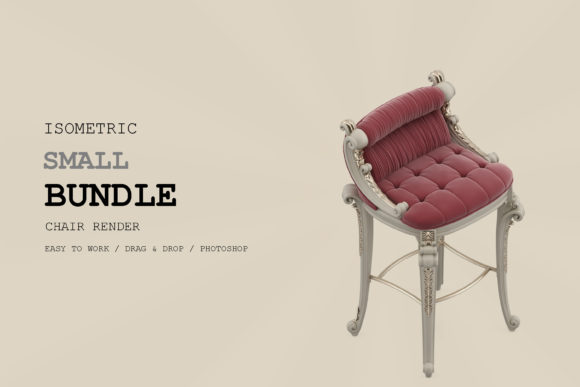
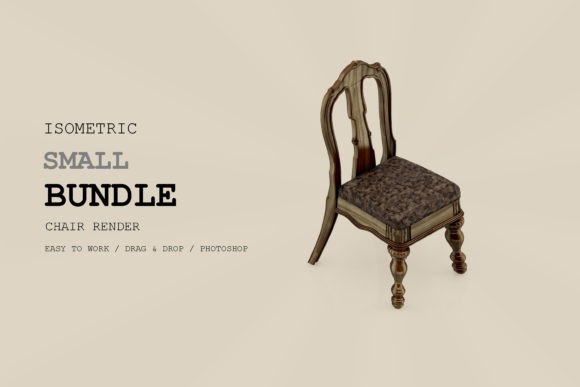
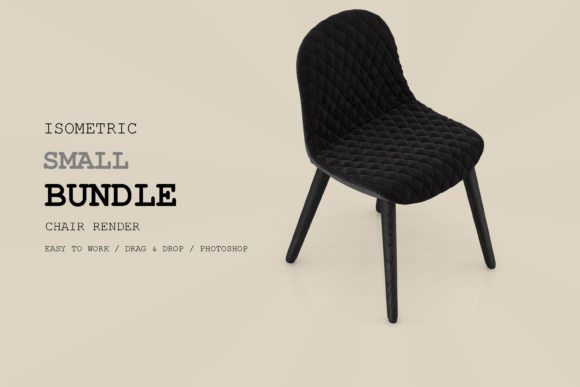
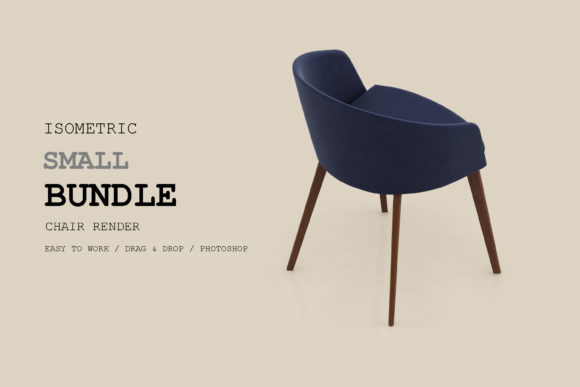
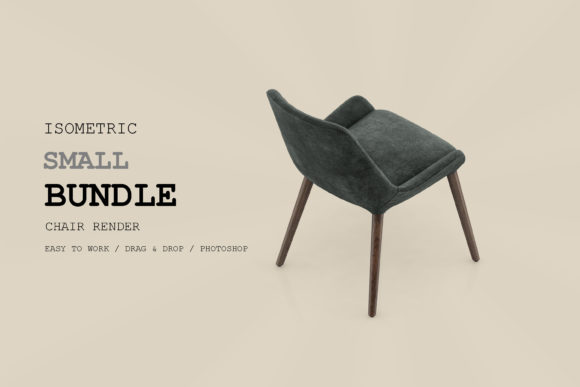
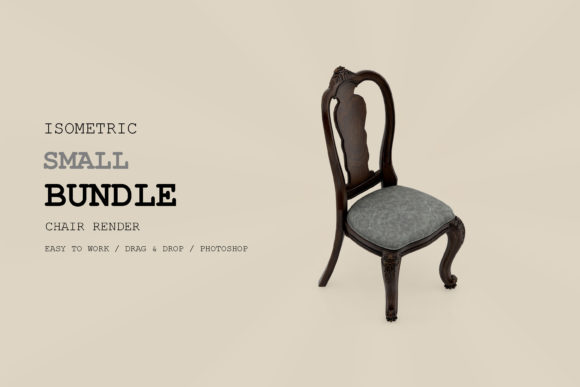
Not all 3D render packs are created equal. Many offer a handful of angles or force you to tweak lighting and perspective manually. The Isometric Chair 3D Render Pack 90 delivers ready-to-use isometric views that maintain a uniform projection angle, which means you can combine multiple chairs in a single scene without worrying about mismatched perspectives. The renders come pre-lit and pre-shaded, so you can focus on composition rather than technical setup.
The pack covers a wide range of chair styles—from minimalist office seating to lounge chairs and more conceptual forms. This variety is not random; each model appears to have been selected for its potential to fit into different contexts. Whether you need a sleek task chair for a corporate infographic or a cozy armchair for a lifestyle blog, the pack gives you options without overwhelming you with duplicates or filler.
Strengths You Will Notice Immediately
One of the first things you notice is the clean linework and balanced color palette. The renders avoid harsh shadows or overly saturated tones, which makes them easy to integrate into both light and dark layouts. The isometric format itself is a major advantage: it offers more depth than flat 2D icons while remaining simpler to place than full perspective renders. This middle ground makes the Isometric Chair 3D Render Pack 90 especially useful for dashboards, presentations, and instructional materials where clarity matters more than photorealism.
Another strength is the consistency across the collection. All 90 renders share a similar lighting setup and material treatment, so you can pull multiple chairs into one project and they will feel like they belong together. This coherence saves significant time when building scene-based visuals such as room layouts, comparison charts, or interactive prototypes.
Real-World Applications Across Different Fields
The versatility of this pack becomes apparent when you start mapping it to actual use cases. Below are several environments where the Isometric Chair 3D Render Pack 90 can make a tangible difference.
For Marketers and Entrepreneurs
If you are building a product page for a furniture brand or a co-working space, having a library of consistent isometric chairs lets you prototype layouts quickly. You can test different chair styles against background colors, text placements, and call-to-action buttons without commissioning new renders each time. The pack also works well for social media graphics where a clean, recognizable visual can communicate a mood or category instantly.
Entrepreneurs creating pitch decks or investor presentations can use these renders to illustrate concepts like office design, seating capacity, or product variety. Because the isometric style feels modern but not overly stylized, it tends to read well in both digital and print formats.
For Educators and Content Creators
Teachers and instructional designers often need visuals that are clear, neutral, and easy to label. The Isometric Chair 3D Render Pack 90 fits this requirement nicely. You can use the chairs to demonstrate concepts in ergonomics, design principles, or spatial arrangement. Since each render is isolated on a clean background, you can annotate directly around the image or place it into a worksheet without distracting artifacts.
Bloggers and YouTube creators covering interior design, workspace optimization, or product reviews will find these renders useful for thumbnails, section headers, or comparison slides. The consistent style helps maintain a cohesive visual identity across a channel or series.
For Digital Product Designers and UI Professionals
User interface designers working on dashboards, analytics platforms, or e-commerce mockups often need placeholder visuals that look intentional rather than generic. The Isometric Chair 3D Render Pack 90 offers exactly that. You can use the chairs to populate furniture sections in a room planner app, illustrate seating options in a booking interface, or simply add visual interest to an otherwise text-heavy screen.
The isometric angle is particularly friendly for micro-interactions and hover states. Because the renders already feel dimensional, they respond well to subtle animations like scale changes or shadow shifts without requiring complex 3D rigging.
For Freelancers and Creative Professionals
Freelancers juggling multiple client projects will appreciate the time savings. Instead of sourcing individual stock images that vary in style and resolution, you have a single pack that delivers consistent results. Whether you are designing a brochure for a furniture store, creating icons for a mobile app, or assembling mood boards for a branding project, the Isometric Chair 3D Render Pack 90 acts as a dependable resource you can reuse across different briefs.
Creative professionals in fields like game design or illustration can also use these renders as base assets. You can import them into editing software to recolor, texture, or combine with other elements. The clean base geometry gives you a strong starting point without locking you into a single look.
Practical Benefits You Can Expect
Beyond the obvious advantage of having 90 ready-made visuals, there are several deeper benefits worth highlighting.
- Time efficiency: You skip the entire modeling, texturing, and rendering pipeline. Each asset is essentially drag-and-drop, provided your project supports transparent PNGs or layered files depending on the format included.
- Consistent branding: Using renders from the same pack ensures that every chair in your presentation or website shares the same lighting, perspective, and visual language. This uniformity strengthens brand recognition and reduces visual noise.
- Scalability: Isometric assets scale well across different media. They look sharp on retina displays, print cleanly at various sizes, and adapt to both detailed layouts and minimalist designs.
- Engagement without distraction: The renders are detailed enough to hold attention but restrained enough not to compete with your content. This balance is crucial for landing pages, infographics, and educational materials where the message needs to stay front and center.
Considerations Before You Implement the Pack
No resource is perfect for every scenario, and the Isometric Chair 3D Render Pack 90 is no exception. Being aware of a few practical considerations will help you get the most out of it.
First, check the file formats included. Most packs of this nature offer PNGs with transparency, but you may also get layered PSDs or vector versions. If you need to edit colors or materials extensively, vector or layered formats are essential. If you just need final renders, PNGs work fine.
Second, consider the style range. While the pack covers a broad selection of chairs, it may not include every niche style you need. If your project requires a very specific vintage or ultra-modern design, you might need to supplement the pack with additional assets. That said, the 90 chairs available should cover most common needs for general and commercial use.
Third, think about licensing. Always confirm whether the pack allows commercial use, redistribution, or modification. Most reputable packs grant broad usage rights for client work and personal projects, but double-checking avoids headaches later. The Isometric Chair 3D Render Pack 90 is typically offered with a standard commercial license, but verify the terms from your source.
Finally, evaluate how you will organize the assets. With 90 files, a logical naming convention and folder structure will save you time. Grouping by chair type (office, lounge, accent, etc.) or by color family can help you locate the right render quickly during a tight deadline.
How to Get the Most Value From This Pack
To truly maximize the return on this resource, think beyond simple insertion. Combine multiple chairs into a single scene to create a furniture arrangement or a seating chart. Use the isometric angle to build exploded diagrams or step-by-step assembly guides. Overlay text or icons on the chairs to create infographic elements that explain ergonomics or material differences.
You can also use the pack as a learning tool. Study how the lighting falls across different shapes and materials. Notice how the isometric projection manages depth without distortion. These observations can inform your own future renders or sketches, even if you move beyond pre-made assets.
For teams, the pack becomes a shared visual library. Rather than each team member sourcing their own chair images, everyone pulls from the same set. This alignment improves consistency across presentations, marketing materials, and product documentation.
Final Thoughts on a Practical Design Resource
The Isometric Chair 3D Render Pack 90 is not about flashy effects or technical showmanship. It is about giving you reliable, well-crafted visuals that solve a real problem: the need for consistent, professional-looking isometric furniture assets that work immediately. For anyone who regularly creates content, designs interfaces, or communicates spatial concepts, this pack offers a solid foundation. It respects your time, fits into existing workflows, and delivers results that look intentional rather than improvised. Whether you are a solo freelancer or part of a larger team, having 90 ready-to-use chairs at your disposal changes how quickly you can move from idea to finished product.